When your digitised videos and photos come back on a memory stick, the first question is often “will it plug into my TV?” The second is “what about my phone?” The answer depends on which kind of USB plug you have, and these days most homes have both.
USB-A: the one everyone knows
USB-A is the flat, rectangular plug that has been around for over 25 years. It’s what you’ll find on most TVs, desktop computers, older laptops, games consoles and many car stereos. If you’ve ever plugged a memory stick into the side of a TV, it was USB-A.
USB-C: the newer, smaller one
USB-C is the small, oval plug that goes in either way up. It’s now on almost every new phone, including iPhones from the iPhone 15 onwards, as well as most Android phones, iPads and tablets, and more and more laptops. Many new laptops, MacBooks included, now have only USB-C sockets, so an ordinary USB-A stick won’t go in without an adaptor.
Why Photo Revivals supplies a stick with both
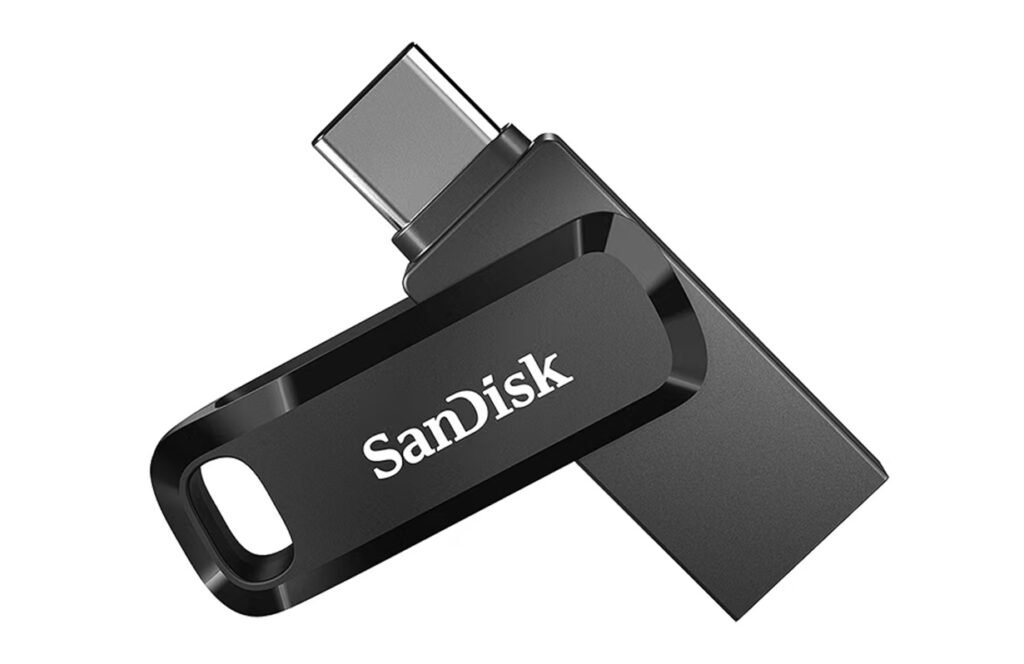
The memory stick Photo Revivals sends out has a USB-C plug at one end and a USB-A plug at the other, with a cover that swivels round to protect whichever end you’re not using. It means:
- It plugs straight into the TV for watching on the big screen.
- It fits any laptop, old or new, whether it has USB-A sockets, USB-C, or only USB-C.
- It plugs straight into a phone or tablet, so you can watch, or copy favourites across to share.
- No adaptors or extra leads to buy, lose or work out.
- It suits the whole family. Grandparents with a TV and grandchildren with the latest phone can all use the same stick.
Photo Revivals uses SanDisk, one of the best-known names in memory, because the files on it are precious and a cheap stick isn’t worth the risk. One stick holds a whole order, so there’s no need to order one per tape or album.
A couple of things worth knowing
- On a phone, the files usually open in the Files app (iPhone) or Files by Google (Android).
- Older iPhones with the Lightning socket (iPhone 14 and earlier) need an adaptor for USB-C.
- Every order also comes with a cloud download, so you have a second copy whatever happens to the stick.
More on memory sticks
If you’d like more help, see How to Use a USB Memory Stick for Your Digitised Photos and Videos, USB Sticks Explained: Which Type and Format Do You Need? and USB Memory Stick, DVD or Cloud Storage: Which Is Best?
Or call Photo Revivals on 01937 349010 for help.